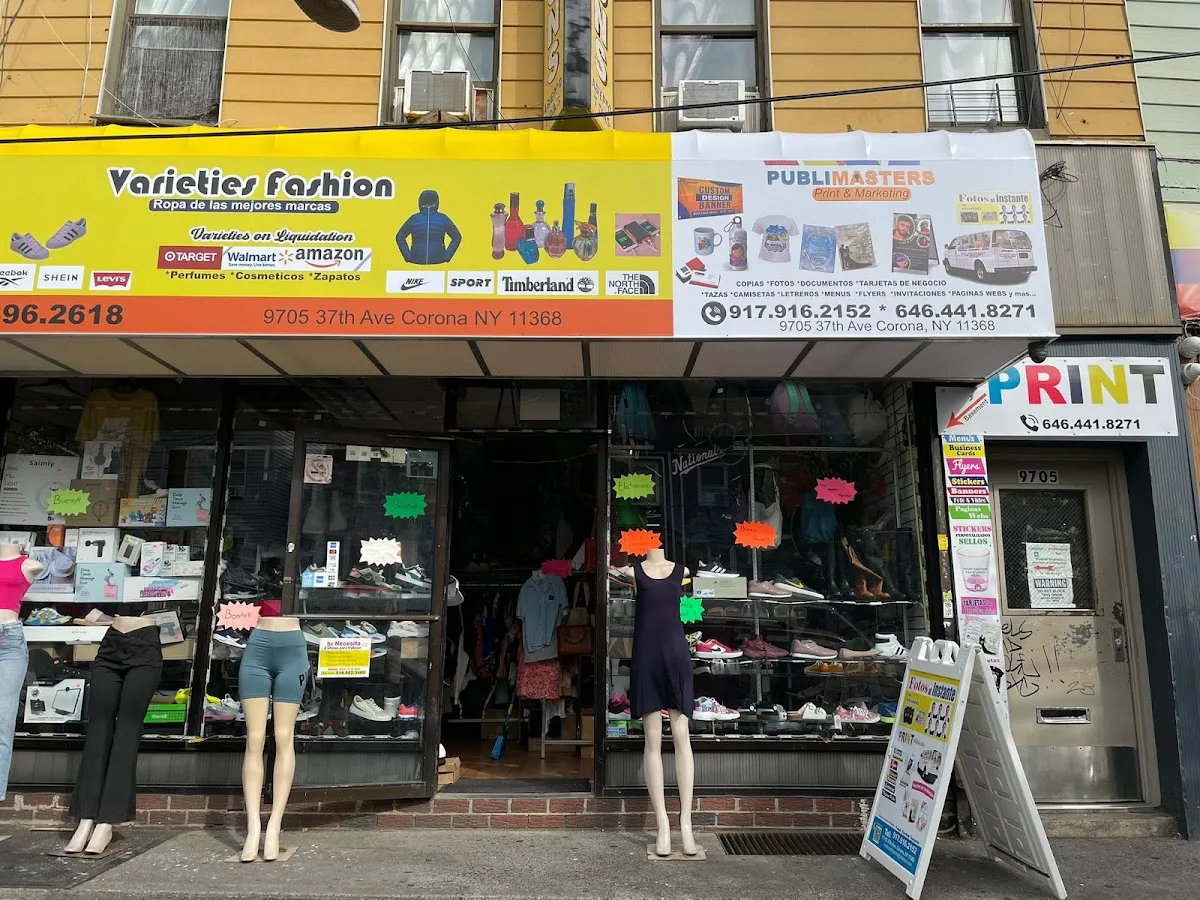
Ordering print in a busy market like Queens usually isn’t about whether a shop can produce your request—it’s about whether your file, your substrate specs, and your deadline align with the shop’s production workflow. For Publimasters Print, the advantage is having one local contact for both graphic design and finished print items, including business cards, menus, flyers, and signage.
Before you say “yes” to a proof, use this decision guide to lock down the details that most often drive delays: what exactly is being designed versus reproduced, what the proof reflects, and how the timeline and revision steps work in practice. Keep these points next to your estimate so you can compare what you asked for with what the shop plans to run.
Clarify the scope: design help vs. print production
Publimasters Print is positioned as a graphic design & print studio. When you contact them, separate two conversations: (1) what they will help create or adjust (like marketing design or logo prep) and (2) what they will strictly reproduce from your provided “final” print-ready artwork. Mixing those roles can lead to mismatched expectations about what is included in the order.
Ask a direct question: if you already have final artwork, what exact deliverables do they need from you, and what will they still review before printing? This is the fastest way to avoid surprises tied to fonts, image resolution, and proof-to-production setup.
Approve the proof like a spec document (not just a look)
Most costly ordering mistakes happen at approval time. Instead of asking for “a proof,” confirm what the proof includes and what settings it uses. Make sure you and the shop are aligned on the final trim size and whether bleed is required. Also confirm how margins are handled for the product you’re ordering—business cards, menus, and flyers often have different practical tolerances than larger-format signage.
If your layout depends on brand color intent—especially dark blacks, small typography, or brand-critical elements—flag that upfront and ask how the shop is verifying those details at proof stage. The goal isn’t “it looks close.” The goal is that the proof reflects the production setup you’re approving.
Confirm what “ready files” means before you upload or email artwork
To keep production smooth, come prepared with what the shop needs for both layout and production readiness for items like business cards, menus, and flyers. When you send artwork, ask whether they require specific formats and how they prefer fonts handled. If your design includes a logo, clarify whether they need vector artwork or other logo prep details.
Concrete file questions that reduce back-and-forth:
- Are all fonts embedded or provided, and will substitutions be reported?
- What minimum image resolution should you use for the type of pieces you’re printing (for example, photography in flyers or menus)?
- If you’re ordering multiple sizes, will each size be proofed separately?
These checks help when a file exports correctly from your design software, but behaves differently in prepress.
Match production timing to your real approval and pickup steps
Publimasters Print’s physical location is 97-05 37th Ave, Corona, NY 11368, and they list phone support at +1 917-916-2152. Their official website is https://publimastersprint.com/. Use those details to confirm the operational side of your order: when proofs go out, what happens if revisions are requested, and when you should plan to pick up your job.
Ask about the mechanics behind the schedule. For example:
- How many revisions are typically included with the proof stage?
- If changes are made after proof approval, does the job restart or adjust based on what’s already approved?
- Is there a cutoff for rush requests, and what triggers additional fees?
Even if the timeline is solid, putting the revision and cutoff logic into the conversation makes it easier to keep your marketing dates realistic.
Confirm deliverables and ownership after printing
When your order includes logo or marketing design help, the printed item is only part of the outcome. Confirm what editable deliverables you’ll receive after completion. If you only get flat PDFs or flattened images, you may still need original design source files for future updates—particularly for menus, promotions, or brand refreshes.
This is also where scope clarity matters: getting the printed piece is great, but knowing what you’ll be able to reuse later helps you avoid redoing design work you already paid for.
Use a final approval pass tied to your proof and your timeline
Right before you approve, do a quick final sweep that directly answers whether the proof matches what will be produced:
- Does the proof reflect the correct trim size and bleed expectations?
- Are fonts and small text elements readable at the final size you’re ordering?
- Do colors match your brand intent for the specific product type (menus vs. business cards vs. flyers vs. signage)?
- Do you understand what revisions are still possible after approval?
- Have you confirmed pickup timing (or the shop’s agreed delivery steps, if applicable)?
Publimasters Print can be a strong option in Corona when you want both graphic design support and finished print work from a local shop. Your results improve most when your proof approval is specific—file readiness, proof settings, revision rules, and timeline steps—so the print you order matches the print you can use.